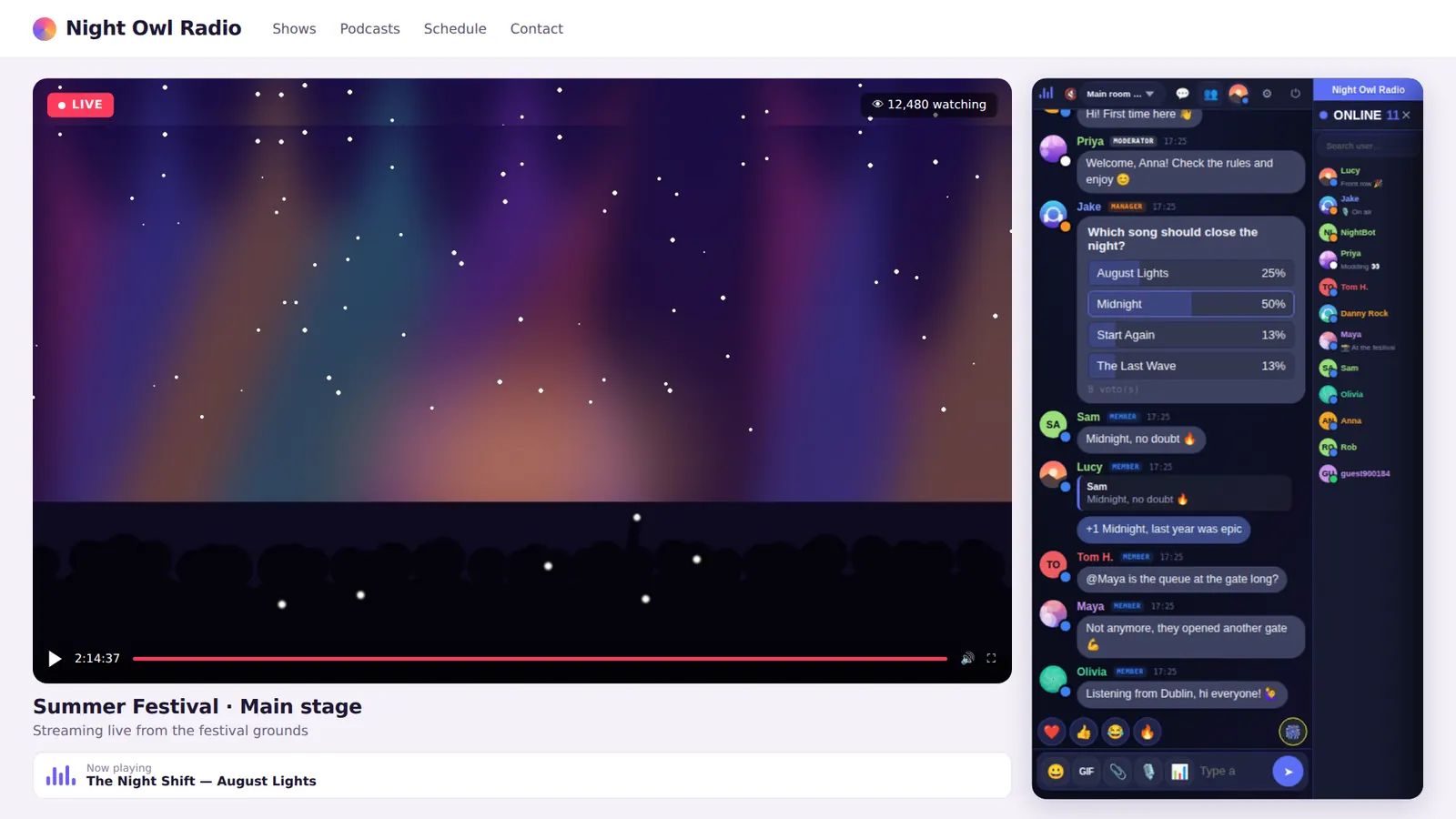
Why not a chat plugin
- Performance: real-time chat keeps a connection open with every visitor. Shared WordPress hosting feels it fast.
- Maintenance: one more plugin to update, with its conflicts and security issues.
- Traffic spikes: the day your live show takes off, the chat must not go down.
Add the chat to WordPress in 4 steps
- Create your free chat at parlo.ink.
- Copy the embed code from your customer area (included on the free plan too):
<iframe src="https://yourchat.parlo.ink/" style="width:100%;height:650px;border:0" allow="clipboard-write"></iframe>
- In WordPress, edit the page, press + and add a Custom HTML block. Paste the code.
- Press Update. Your chat is live.
Elementor, Divi and other builders
Use the HTML widget (Elementor), the Code module (Divi) or your builder’s equivalent.
Chat in the sidebar
In Appearance → Widgets, add a Custom HTML widget and paste the code with a smaller height, e.g. height:500px.
Frequently asked questions
Do I need to install a plugin?
No. The Custom HTML block that ships with WordPress is all you need.
Does it work on WordPress.com?
Yes, on WordPress.com plans that allow HTML or iframes. On self-hosted WordPress it always works.