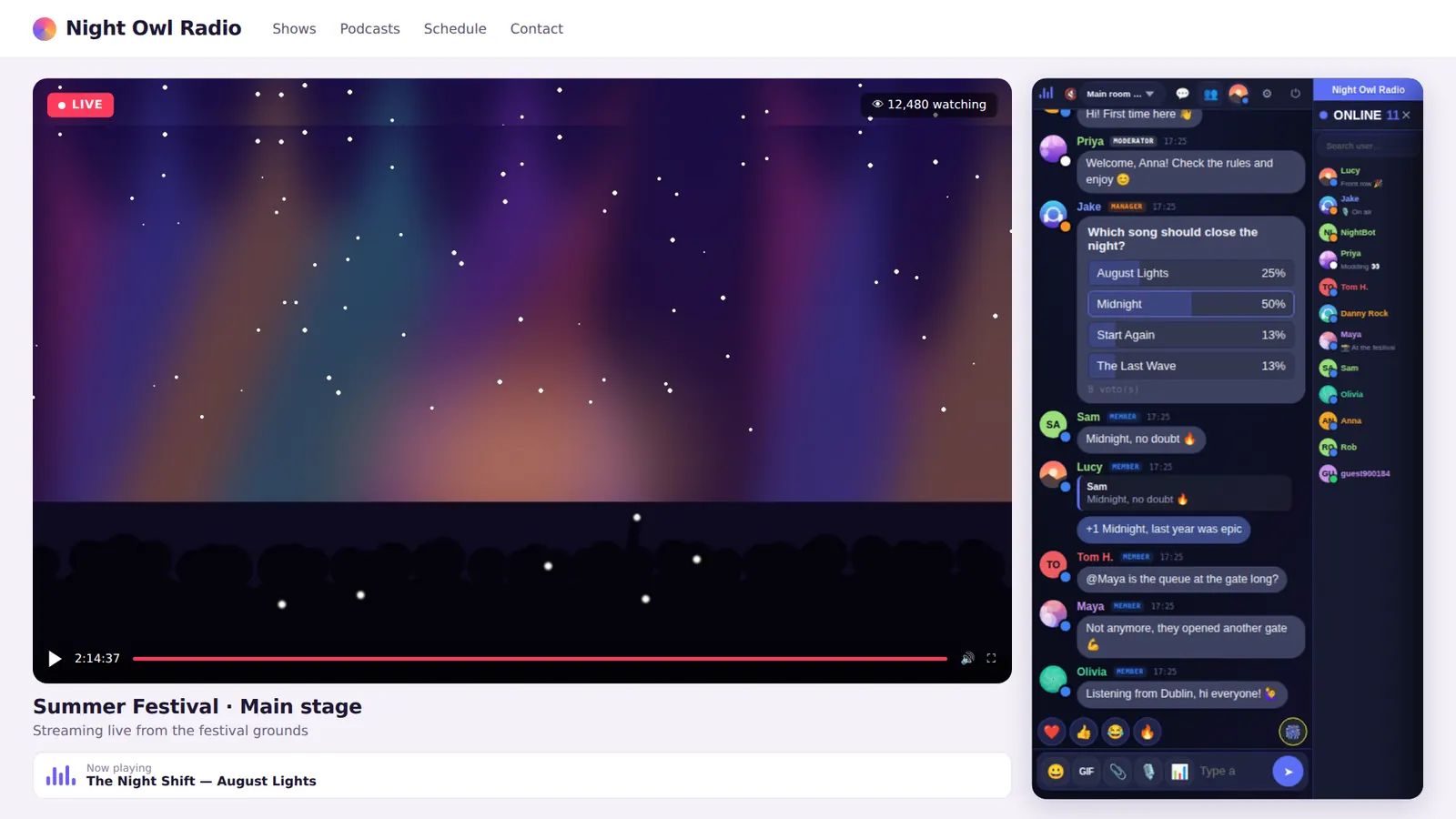
What “embedded chat room” means
An embedded chat room is a chat hosted on another server and shown inside one of your pages. Visitors never leave your site: the chat looks like part of it. You install and maintain nothing; you paste a snippet of code.
That’s how Parlo works: the chat runs at yourchat.parlo.ink and you display it on your site. It works anywhere you can add HTML, with no mandatory plugins.
How it works
- Your page loads an iframe pointing at your chat’s address, the same mechanism used to embed YouTube videos.
- The conversation, users and moderation all live on Parlo’s servers, not on your hosting, so your site doesn’t slow down when the room is busy.
- The chat’s data (accounts, messages, bans) is the same whether people join through your site or through the direct address.
<iframe src="https://yourchat.parlo.ink/" style="width:100%;height:650px;border:0" allow="clipboard-write; microphone"></iframe>
For the code in detail (heights, permissions, common errors), see the chat iframe guide.
Four common layouts
| Layout | How to build it | Best for |
|---|---|---|
| Next to a video or stream | Two columns: wide player, narrow chat | Live shows, radio, events |
| Dedicated chat page | A “Chat” page with the iframe at full width | Communities, forums, clubs |
| Below content | The chat after an article or a match page | Blogs, news, sports |
| Sidebar column | A narrow block (300–400 px) in a sidebar | Content-heavy sites |
You choose the height with height and the width with width; the chat adapts to the space.
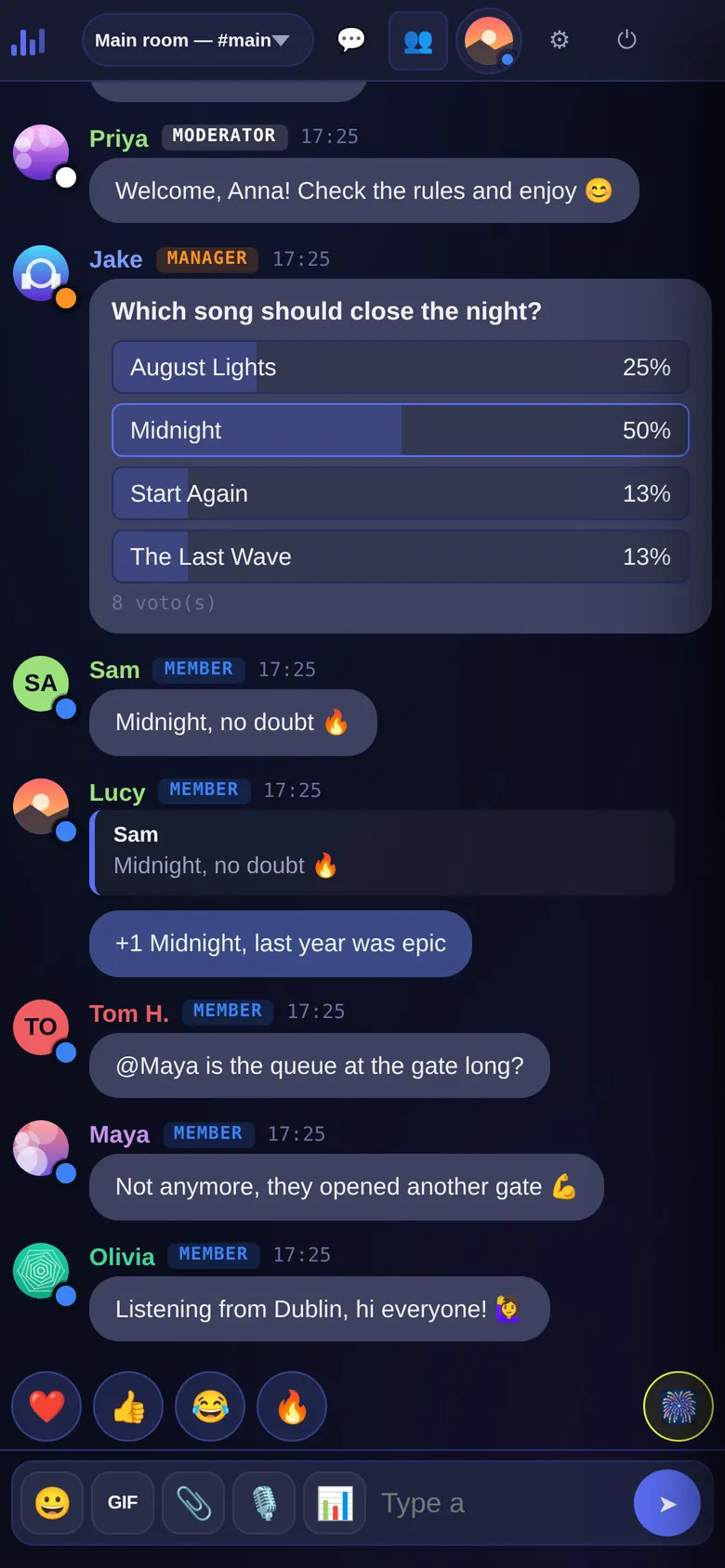
What each visitor sees
The chat works on desktop and mobile with nothing to install. Newcomers can join as guests with a nickname, or register a username and password to keep their name and profile. Your team signs in with its ranks (Owner, Manager, Moderator) and moderates from the chat itself.
What an embedded chat room is not
Parlo is a community chat room shown in a block on your page. It isn’t a floating support bubble in the corner of the screen, nor a one-to-one chat with your customers. If that’s what you need, use a support tool. If you want your audience to talk to each other, this is it.
Getting started
The Free plan is free forever (20 people at once) and already includes embedding. For the full walkthrough see website chat room; on WordPress, chat for WordPress.
Frequently asked questions
Is an embedded chat the same as a hosted chat?
They are two views of the same thing: the chat is hosted on Parlo’s servers and you embed it in your site with an iframe.
Do I have to install anything on my hosting?
No. You paste one line of HTML where you want the chat. On WordPress you can also use the official plugin.
Can it be embedded on any site?
On any site that lets you add HTML or an “embed code” block. If your editor strips iframes, change that setting or use another embed element.
Does it work on mobile?
Yes. The chat adapts to the screen and there’s no app to install.