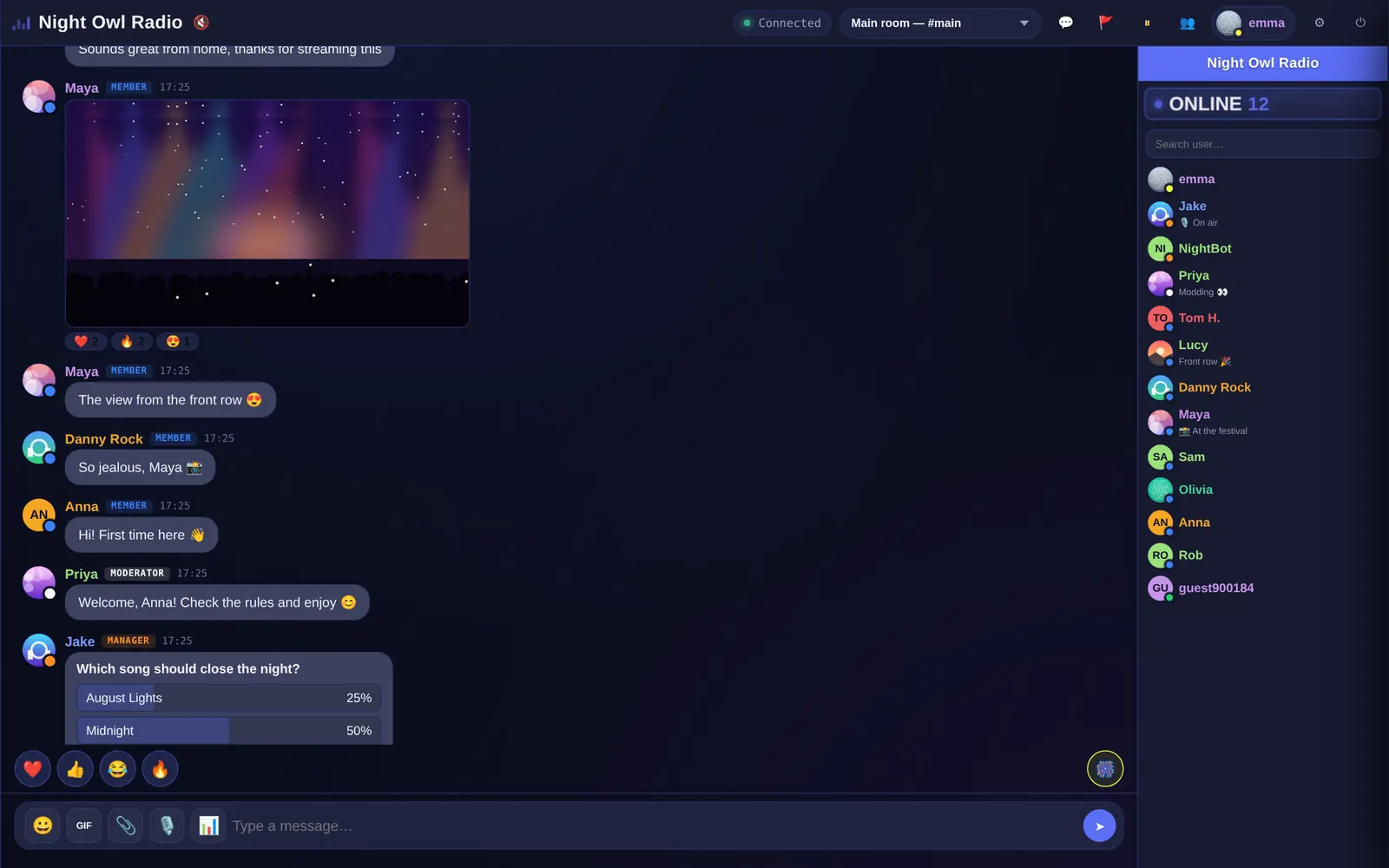
What kind of widget this is
“Widget” is used for two different things, so it helps to know which one you want:
- Floating support bubble: a corner button that opens a window to talk to a company. That’s the model of customer-support tools.
- Community chat block: a box inside the page where many people talk at once. That’s Parlo.
Parlo is the second. It doesn’t add a floating bubble: the chat takes the space you give it on the page, so visitors always see it instead of having to open it.
Where you can place it
- In the body of a page, between content, with a height of 500 to 800 px.
- In a sidebar: on WordPress, with a “Custom HTML” widget or the official plugin.
- In a column of your page builder, using its HTML or Embed element.
- On a dedicated chat page linked from your menu.
<iframe src="https://yourchat.parlo.ink/" style="width:100%;height:650px;border:0" allow="clipboard-write; microphone"></iframe>
Recommended size
| Where | Width | Height |
|---|---|---|
| Full page | 100% | 650–800 px |
| Column next to a video | 320–400 px | same as the video |
| Sidebar | 300 px or more | 500–600 px |
On small touch screens the chat adapts its layout and hides the user list until you open it with its button.
What the widget includes
- Real-time conversation with profiles, statuses and mentions.
- Moderation with ranks, mutes, kicks and bans, plus automatic anti-flood.
- Built-in radio, polls, photos and voice notes depending on the plan.
- Your name, your colors and, on Pro and Business, your own domain.
To compare what each plan includes, see pricing.
Frequently asked questions
Is Parlo a floating bubble?
No. It is a community chat shown in a block on your page, at the size you choose. If you want a customer-support bubble you need a different tool.
Can I put it in a WordPress sidebar?
Yes, with a Custom HTML widget or Parlo’s official plugin.
How much space does it need?
From about 300 px wide. For comfort, 320 px or more and a height of 500 px or more.
Is there a free widget?
Yes. The Free plan is free forever, for up to 20 people at once, and can be embedded on your site.