The code
This is the format Parlo uses (the address and height are yours):
<iframe src="https://yourchat.parlo.ink/" style="width:100%;height:650px;border:0" allow="clipboard-write; microphone"></iframe>
What each attribute does
| Attribute | What it does |
|---|---|
src | Your chat’s address (yourchat.parlo.ink, or your own domain on plans that include it). Always use https://. |
width / height (in style) | Size of the frame. A 100% width fits the column; height is set in pixels (500 to 800 usually works well). |
border:0 | Removes the grey border browsers add to iframes by default. |
allow="clipboard-write; microphone" | Delegates permissions to the chat: microphone lets the browser ask for the microphone inside the chat (voice notes; without it the browser blocks it) and the clipboard permission lets the chat write to the visitor’s clipboard (for example, to copy text). |
title | Text for screen readers and accessibility. Use your chat’s name. |
loading="lazy" | Optional. The chat isn’t loaded until the visitor scrolls to it. |
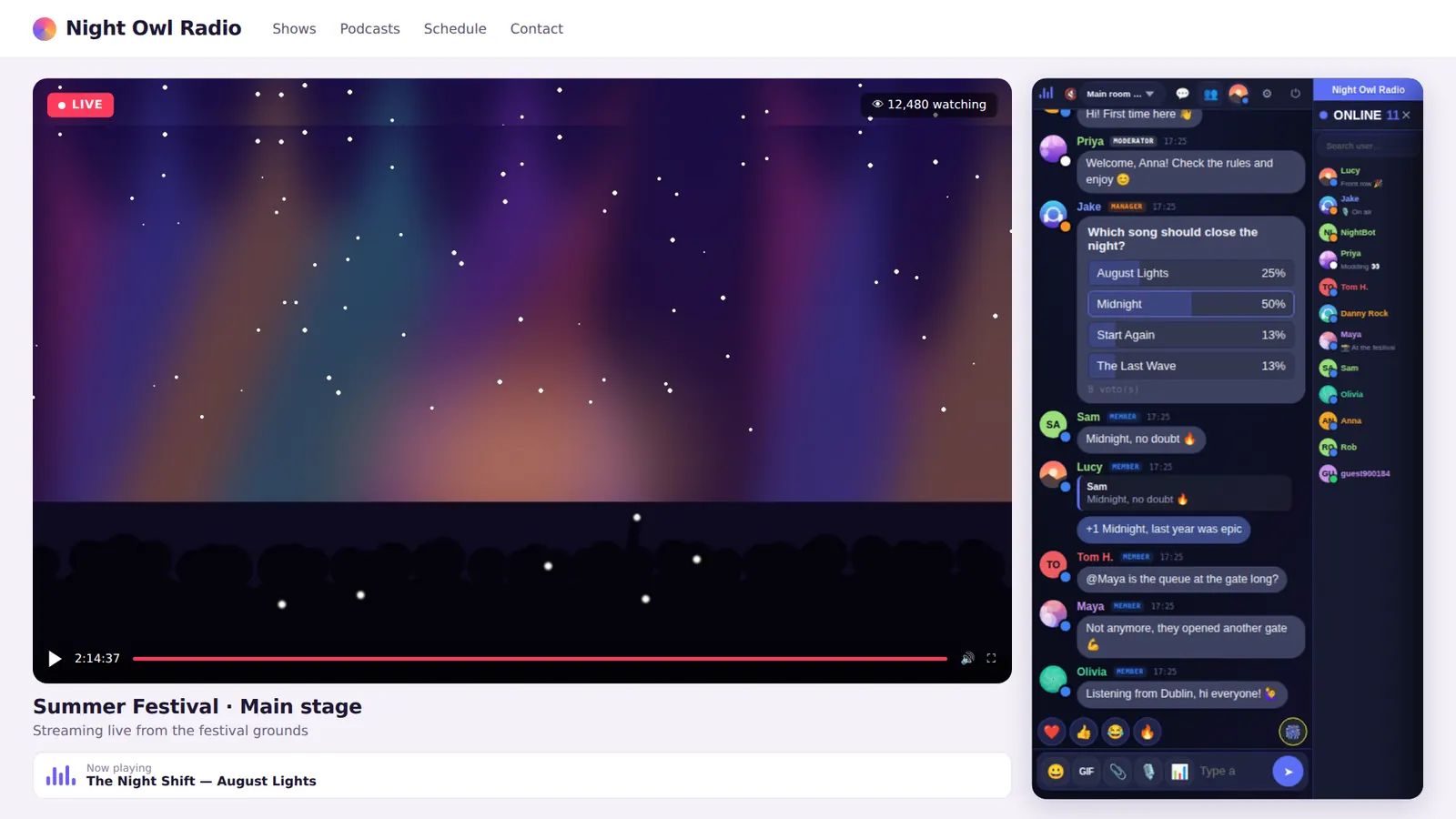
A chat next to a video that adapts to mobile
With CSS you can put the player and the chat in two columns that collapse into one on small screens:
<div class="live">
  <div class="video"><!-- your player --></div>
  <iframe src="https://yourchat.parlo.ink/" title="Chat" allow="clipboard-write; microphone" loading="lazy"></iframe>
</div>

<style>
.live{display:grid;grid-template-columns:1fr 360px;gap:16px}
.live iframe{width:100%;height:600px;border:0}
@media (max-width:800px){.live{grid-template-columns:1fr}}
</style>
Adjust 360px and 600px to your design. More examples in chat for streaming and chat for online radio.
If the iframe is blank or missing
- Your editor strips iframes. Some editors filter HTML. Use their “Embed code”, “HTML” or “Embed” element instead of the normal text editor.
- Mixed content. If your site uses
http://and the chathttps://, the browser may block it. Move your site to HTTPS. - Your site’s security policy. If your site sets a
Content-Security-Policyheader withframe-src, you must allow your chat’s address in it. - Not enough height. If the chat looks cut off, raise the
heightvalue. - Local testing. Open your page from a server or its real address, not as a loose file on disk, to avoid browser restrictions.
Using WordPress
You can paste the iframe in a Custom HTML block or install the official plugin, which generates the code with a shortcode or a block. Guide: chat for WordPress.
Frequently asked questions
Where do I copy the iframe code?
In your customer area and in the chat’s own settings, in the section for embedding the chat on your website.
Does the iframe work on the free plan?
Yes. The Free plan includes embedding the chat on your site and shows the “Powered by Parlo” link.
Can I make the chat adapt to mobile?
Yes: use a 100% width and, when placing it next to a video, a CSS grid that collapses to one column on small screens, as in the example above.
Why doesn’t the microphone work?
The iframe’s allow attribute is missing microphone, or your plan doesn’t include voice notes (they’re on Pro and Business).