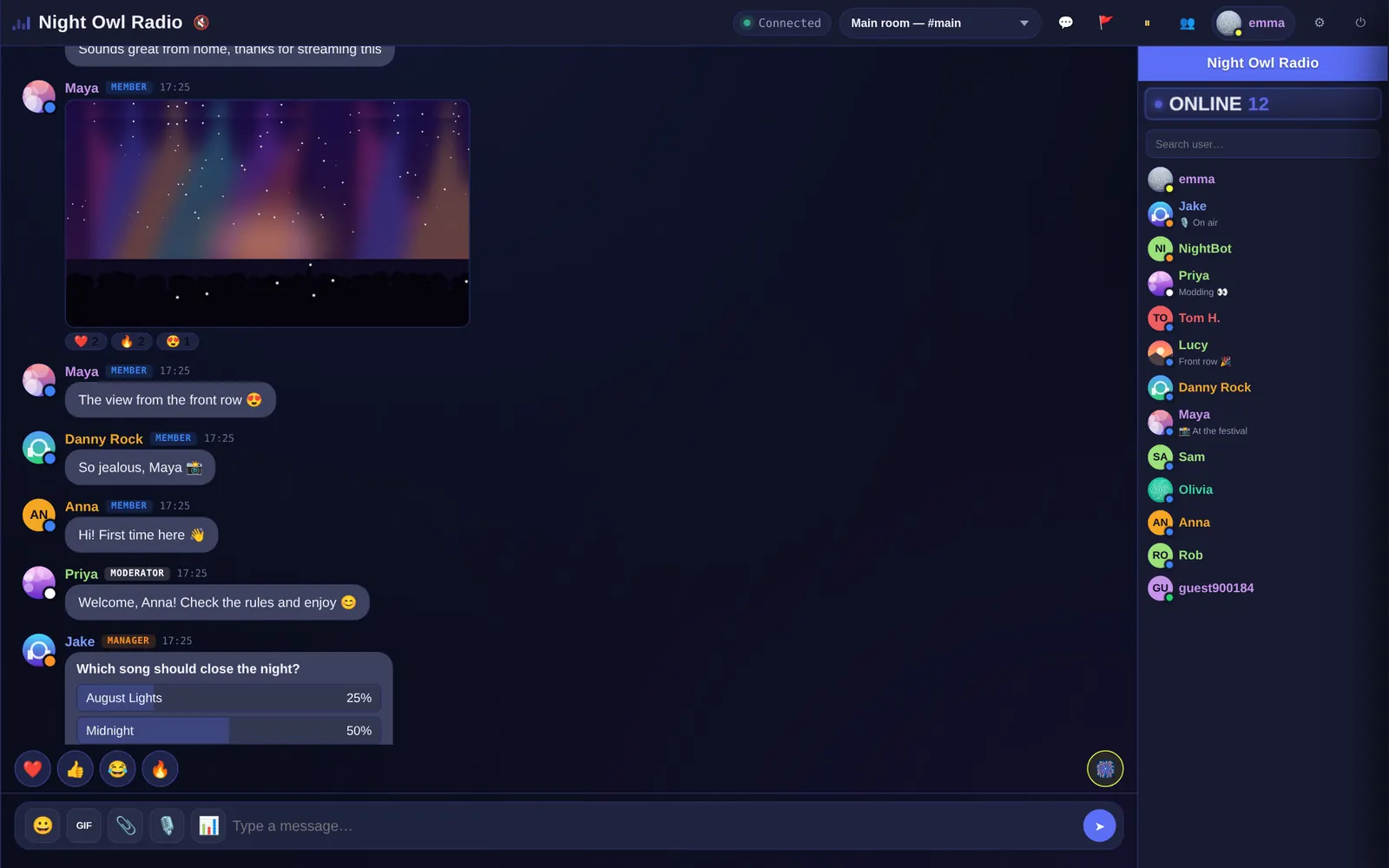
Your radio inside the chat itself
Owner and Manager can paste a direct stream or a PLS/M3U playlist —including links from providers such as StreamTheWorld— and Parlo automatically resolves the real audio URL. Radio starts muted for every new connection: staff can press Play for everyone for people currently online, while each user keeps their own 📻 button to turn it on or off whenever they want.
The icon shows the state at a glance: red when radio is off, green while it is playing and dimmed when no station has been configured yet.
What a radio station needs from its chat
- Next to the player, so listeners never leave your site.
- Polls to let the audience pick songs or topics.
- Ranks for hosts, moderators and regulars.
- A bot that posts scheduled messages: schedule, social links, the studio’s phone.
- Voice notes for recorded shout-outs (Pro plan).
- Statuses like “🎙️ On air”.
How to add it to your station’s website
Create the chat, copy the code and paste it next to your player. On WordPress, follow the WordPress guide. No website yet? Share your chat’s address on social media and on air.
Frequently asked questions
Can I read the chat while on air?
Yes. Open it in another tab or on your phone with your host account and reply from there.
Is there a plan for small stations?
Yes: the Free plan is free forever, with 20 listeners at once and embedded on your site. Starter goes up to 250 listeners for $27.99 a month.